Flex
AI-Powered Time Management Tool
7 Minute Read
ROLE
UX Researcher
Product Designer
TIMELINE
2024 (Nov - Dec)
Introduction
Research
The Solution
User Persona
Design
Prototype
Conclusion
01
Introduction
This was an individual class project that introduced me to the human-centered design process, where I designed a service and created an app to support it.
We began by selecting a specific user group and diving deep into understanding their unique needs and challenges.
For my project, I chose to focus on people around my parents’ age. I was inspired to explore this group because so many apps today cater to younger, tech-savvy users, and older adults—like my grandparents—are often the focus of design projects amongst peers. By choosing this generation, I aimed to address an overlooked demographic and create something that bridges the gap between younger and older users.
This project also became personal for me. It gave me a chance to connect more deeply with my parents, understand their daily lives, and involve them directly as resources and test users. It wasn’t just about designing a product—it was about fostering connection and designing something meaningful.
02
Research Results
Target Audience
Highlighted Pain Points
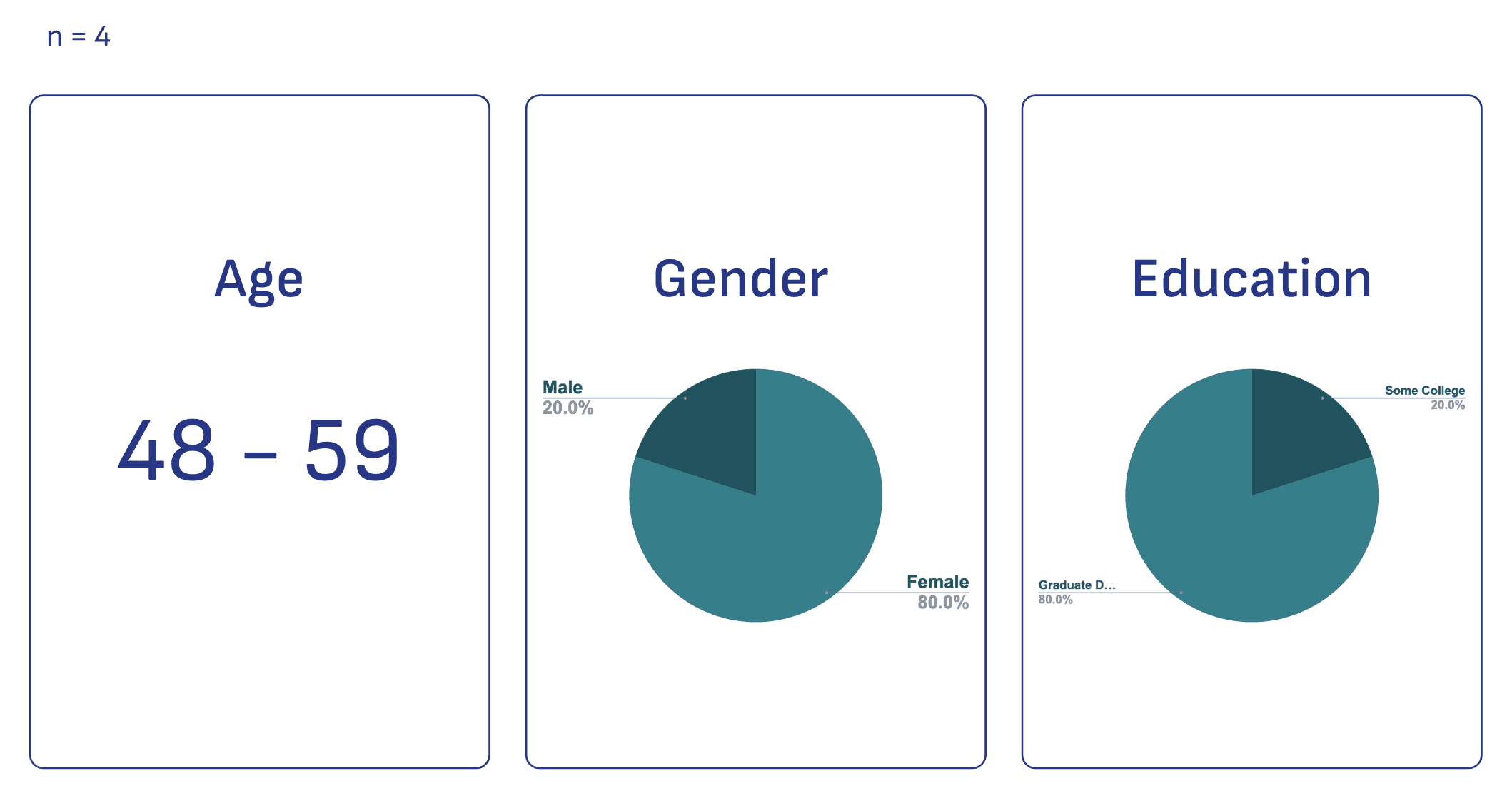
Middle-aged adults born between 1965 - 1980 (Gen X) who face challenges in managing their time effectively, leading to difficulties prioritizing personal interests.

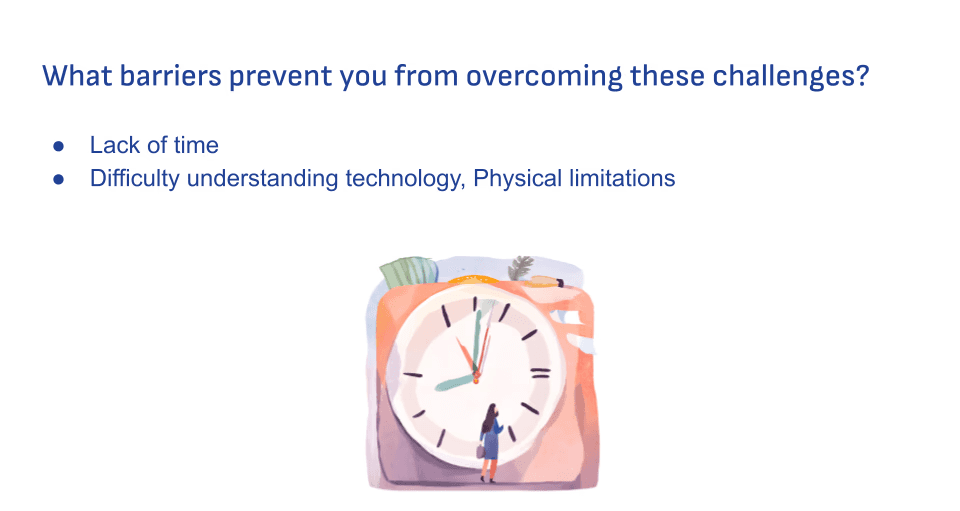
Remembering tasks, prioritizing tasks, organizing schedules, lack of free time, planning trips, activities, and hobbies

Let's Dive Deeper into the Research Process…
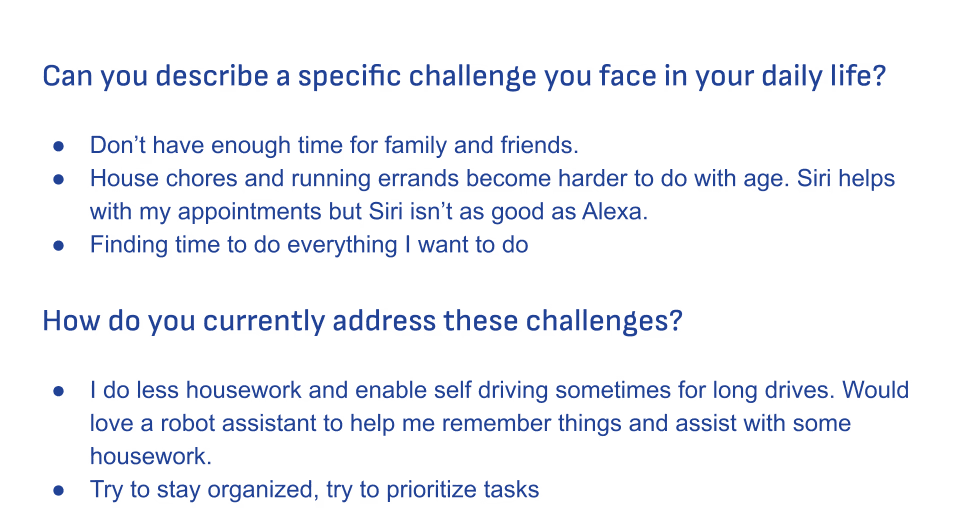
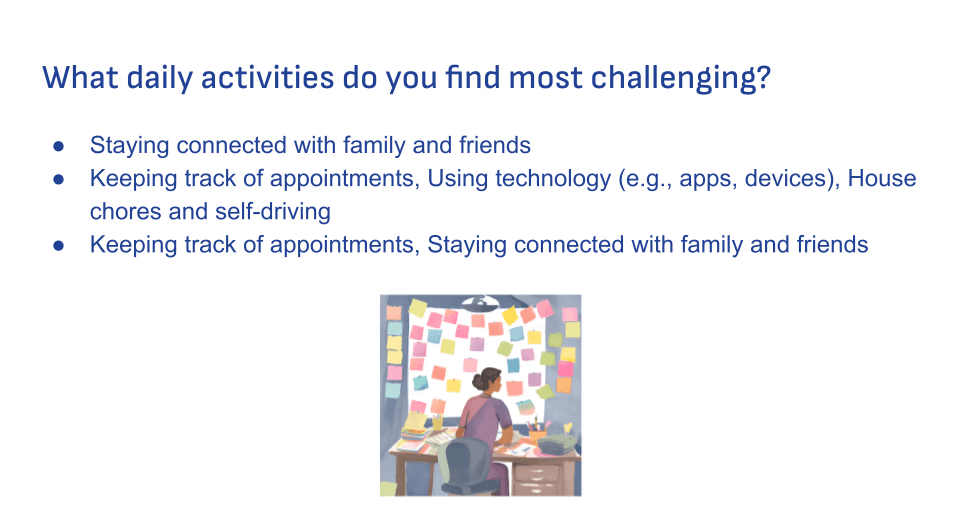
To identify the problem and ideate potential solutions, I conducted interviews using Google Form surveys with individuals from the target user group. The survey was designed to explore the unique challenges and preferences of middle-aged adults, focusing on:
Daily Challenges: Insights into the pain points and obstacles they encounter in their everyday lives.
Technology Usage: Understanding their general experiences with technology, including usability challenges and areas of frustration.
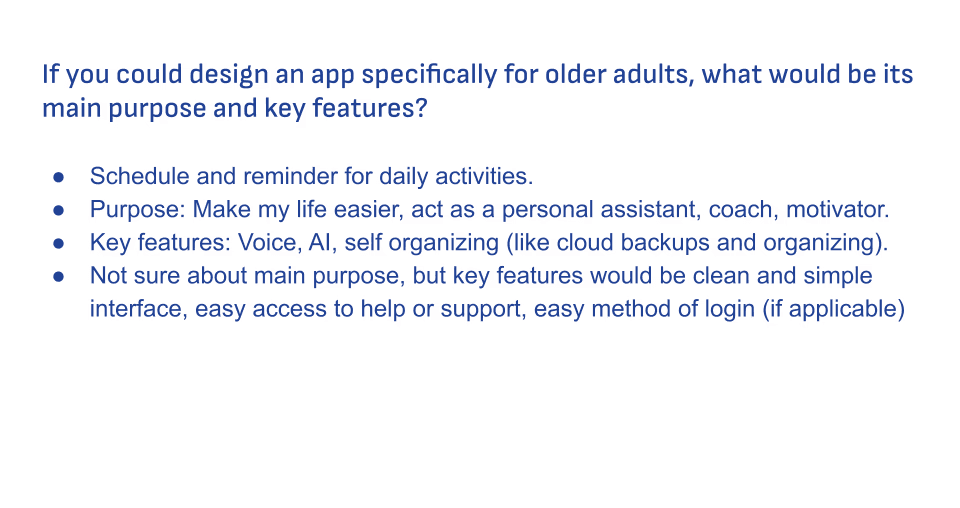
Feature Preferences: Gathering input on the features they find most helpful or improvements they’d like to see in existing apps.
This approach provided valuable data to guide the design and development of a user-friendly app tailored to the specific needs of this group.
Below are some consolidated findings, categorized by demographics, lifestyles, daily pain points, technology usage, challenges, and desired features or UI design preferences.
Demographics & Research Findings
03
The Solution
Flex,
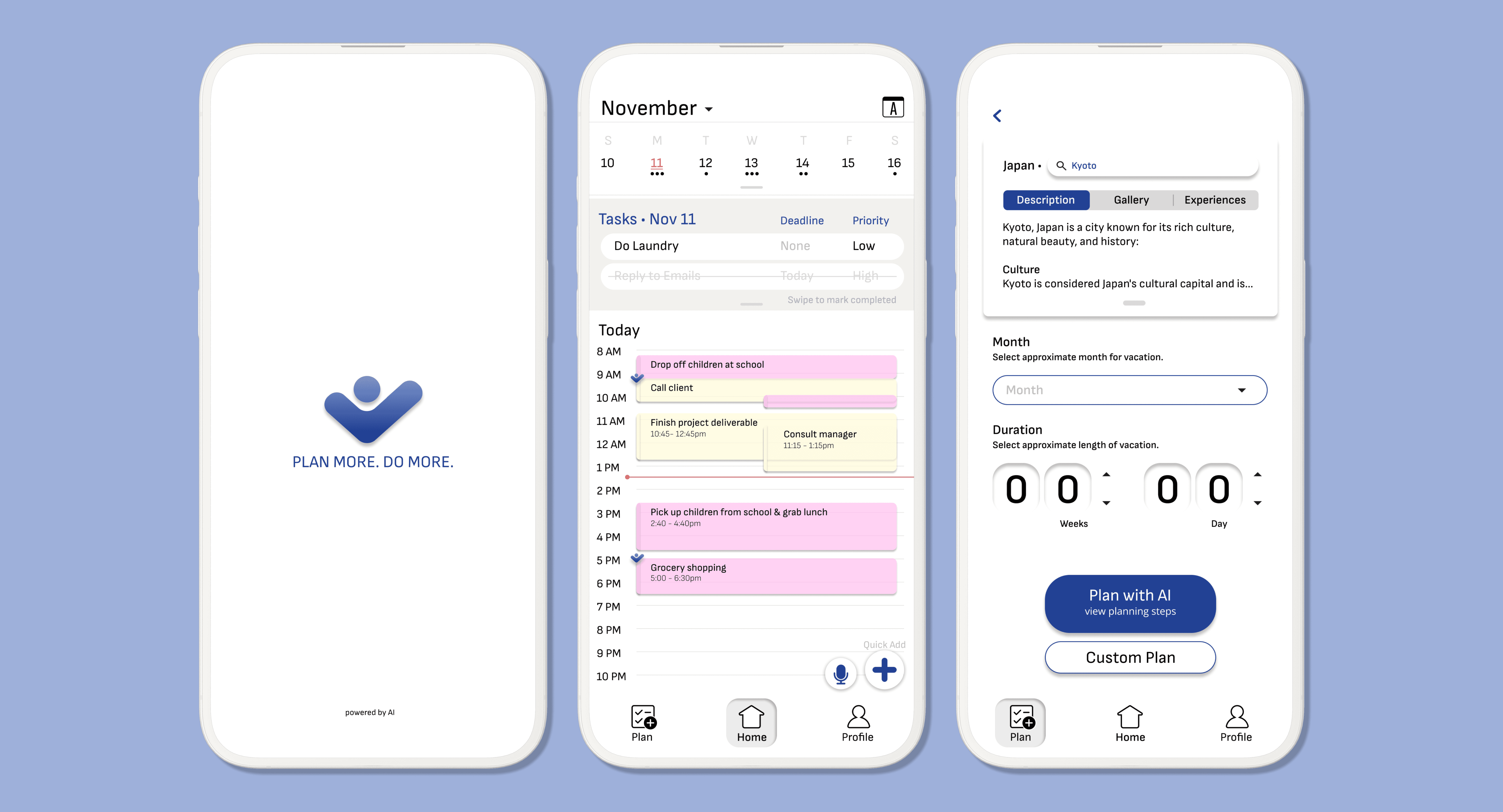
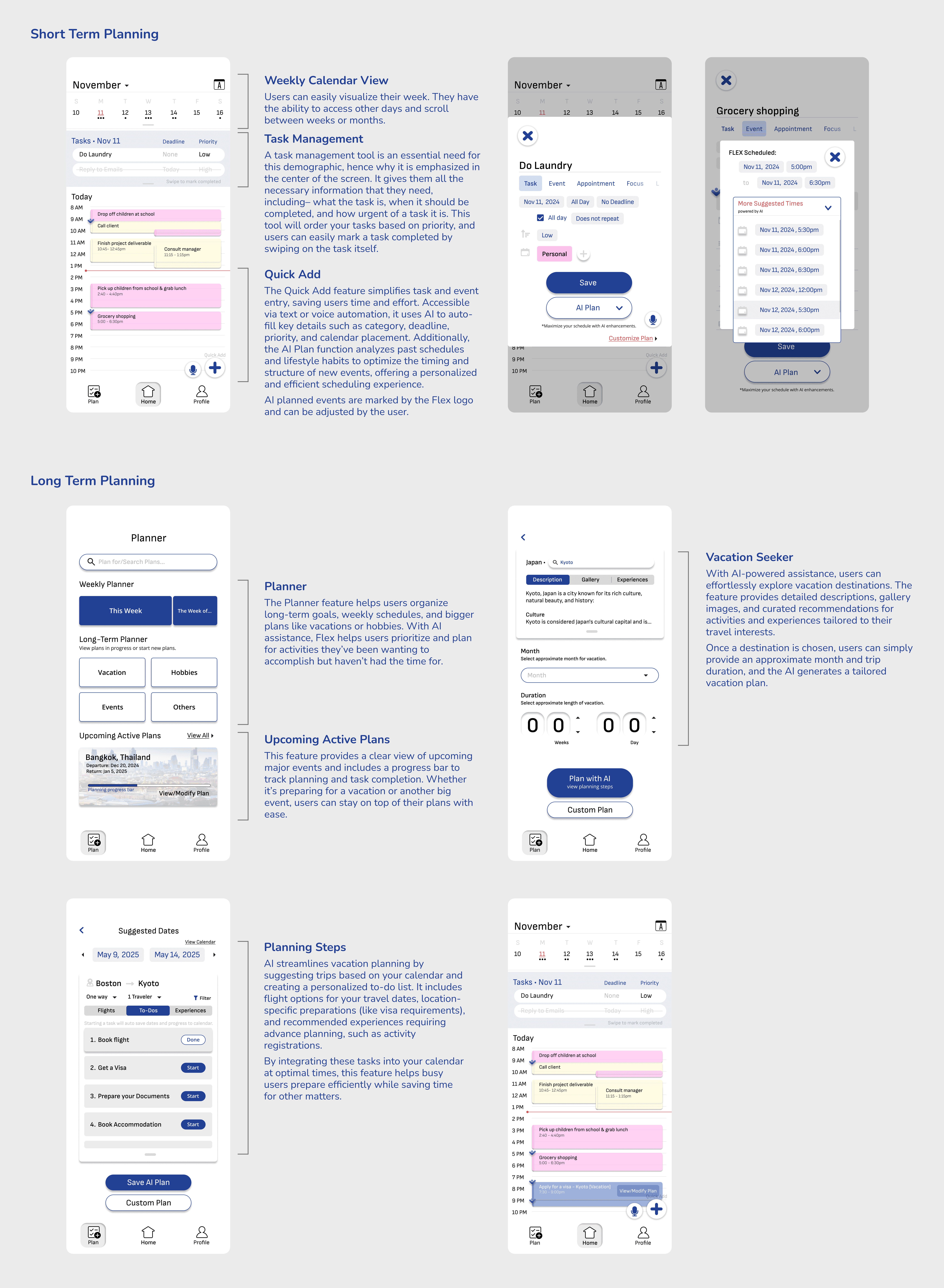
an AI powered time management app designed specifically for middle-aged adults seeking to reclaim control over their busy lives. FLEX combines powerful personalization features and smart AI integration to create a tailored experience that helps users manage tasks, remember important events, and carve out time for what they love.
Notable Features
04
User Persona
I created a persona to ground every design decision in research and clarify who I am designing for.

Selena
Age: 44
Gender: Female
Occupation: HR Manager, Mother
Living: Spouse and 2 sons, residing in Long Island NY
Pain Points
Keeping track of appointments
House chores, running errands
Lack of time
Goal: Would like a personal assistance to help manage time or make time for hobbies and spending time with family
Ideal Service: "Make my life easier, act as a personal assistant, coach, motivator."
Ideal Key Features: "Voice, AI, self organizing (like cloud backups and organizing). Better security (I think facial recognition should be better)."
Interests: Learning new things, family
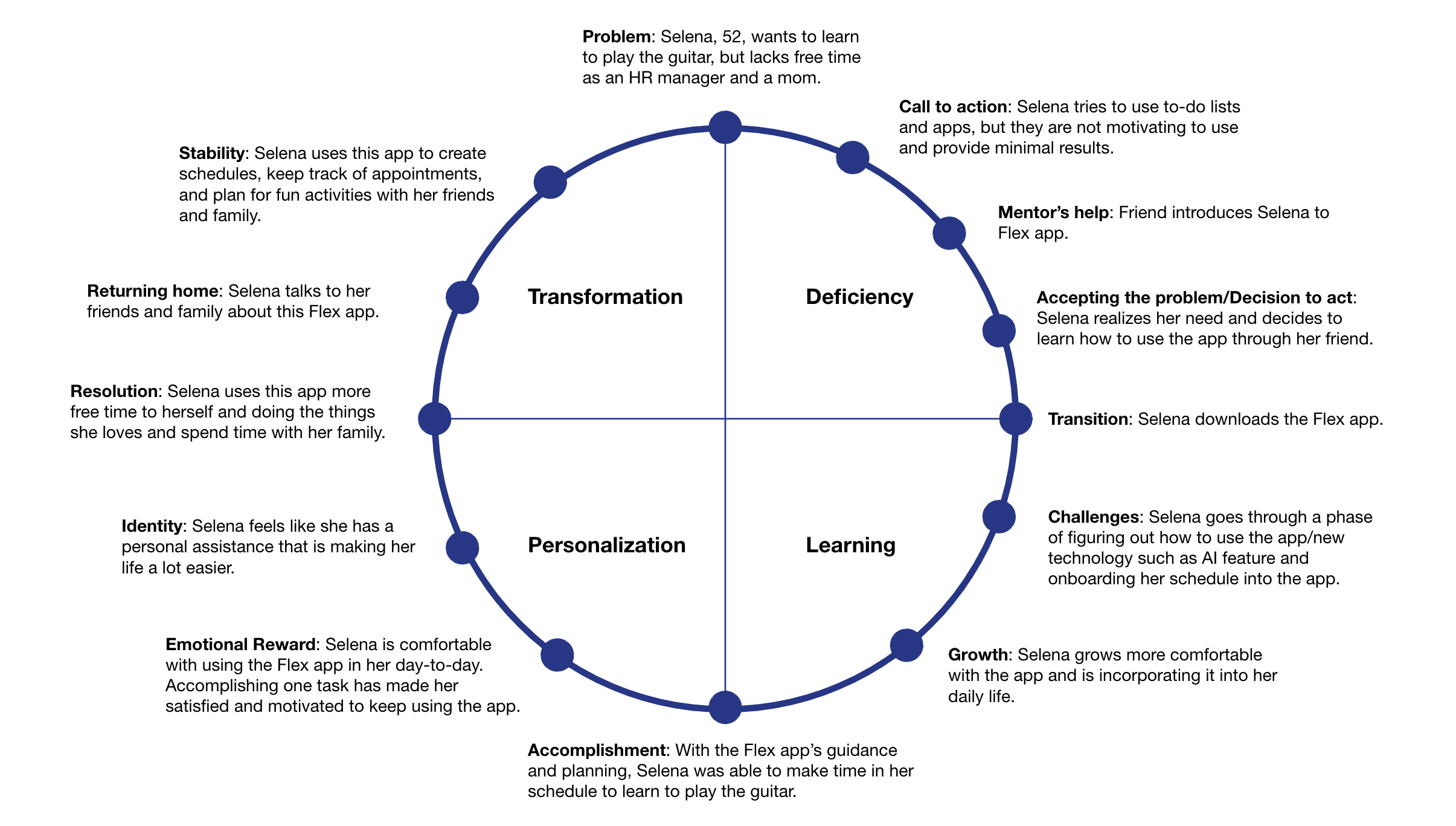
Hero Journey
Story Boards
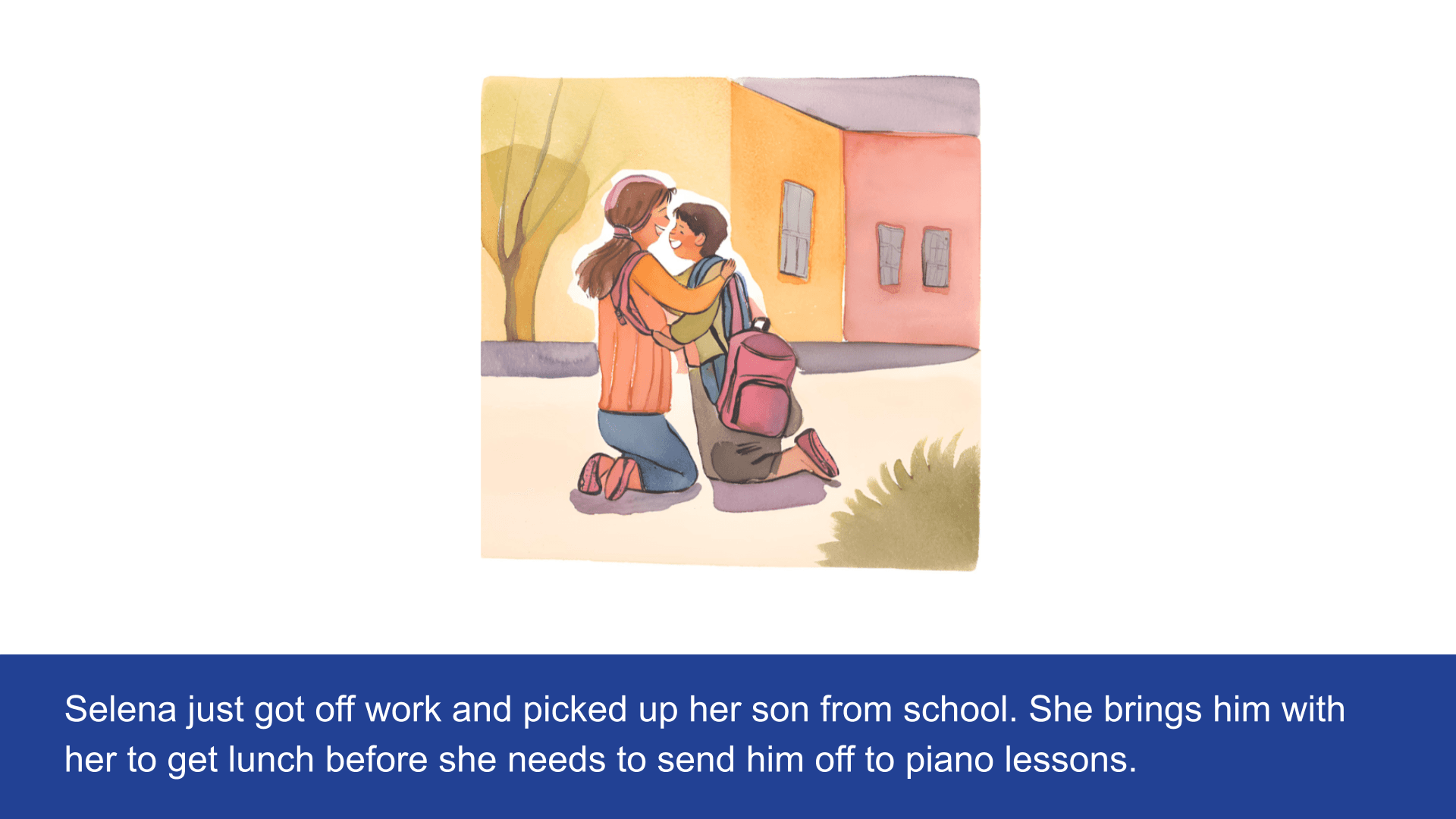
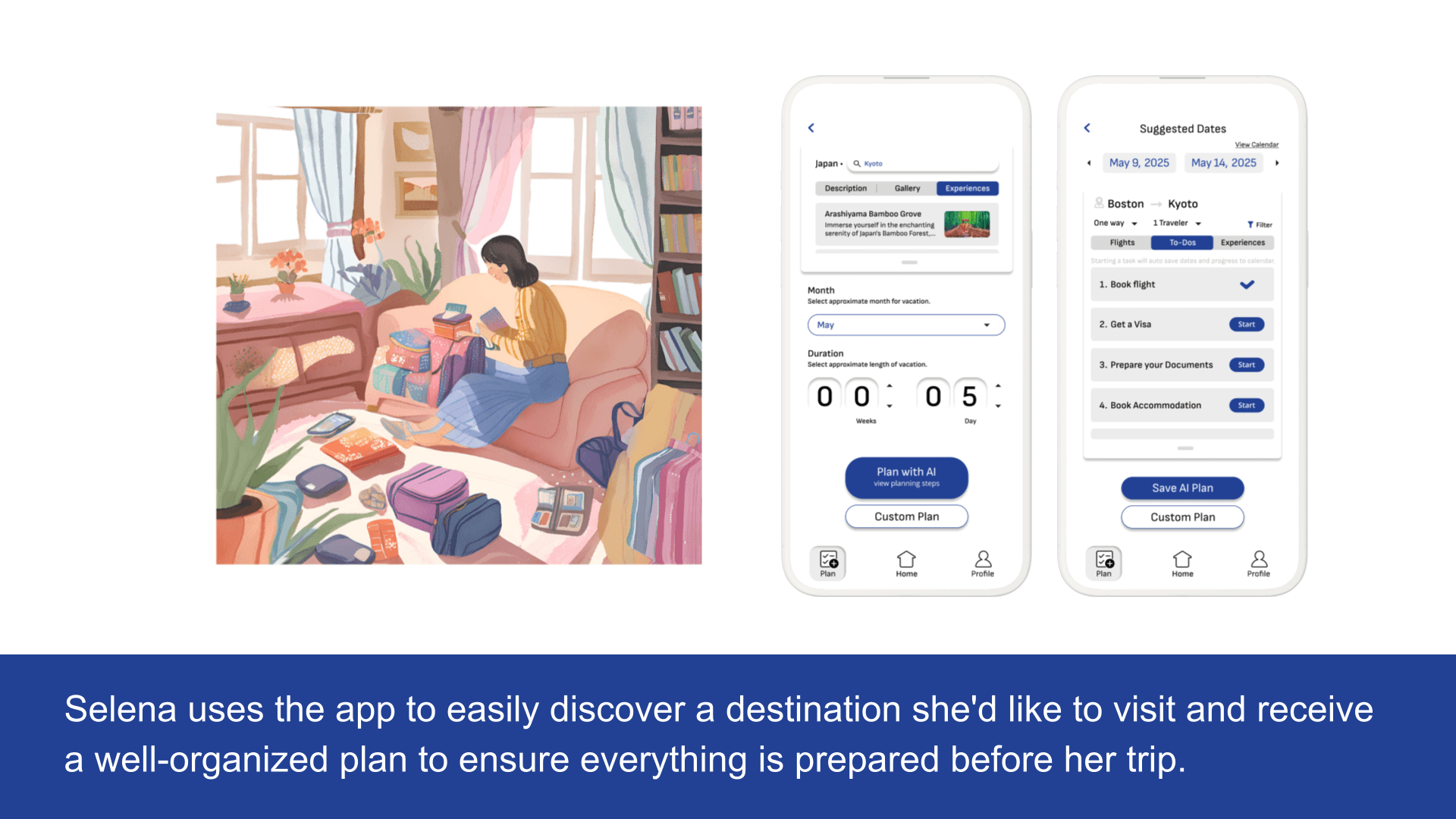
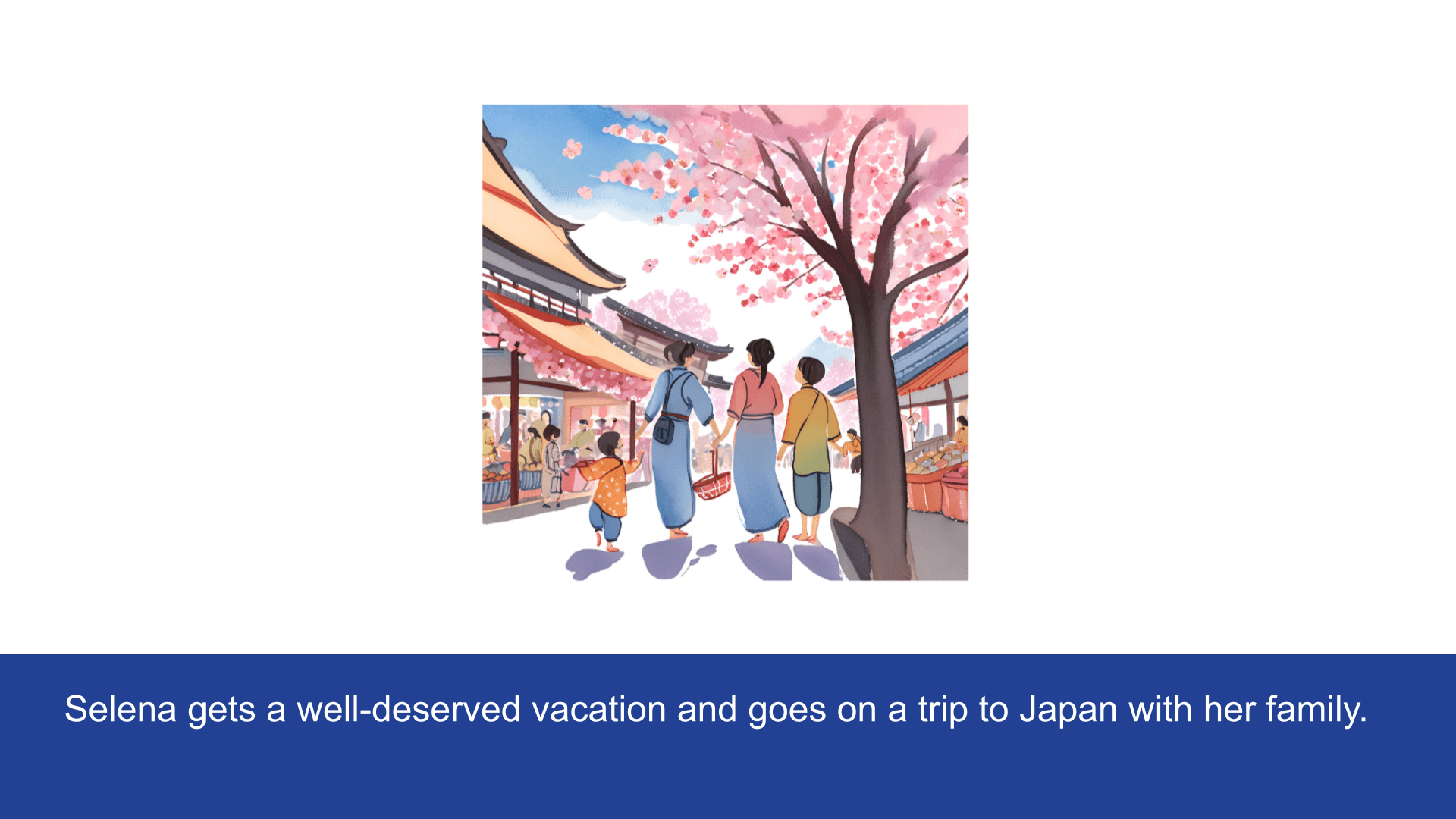
Selena wants to learn how to play the guitar, but lacks free time as a mother who works a 9-5 job.
Selena's friend introduces her to the Flex app.
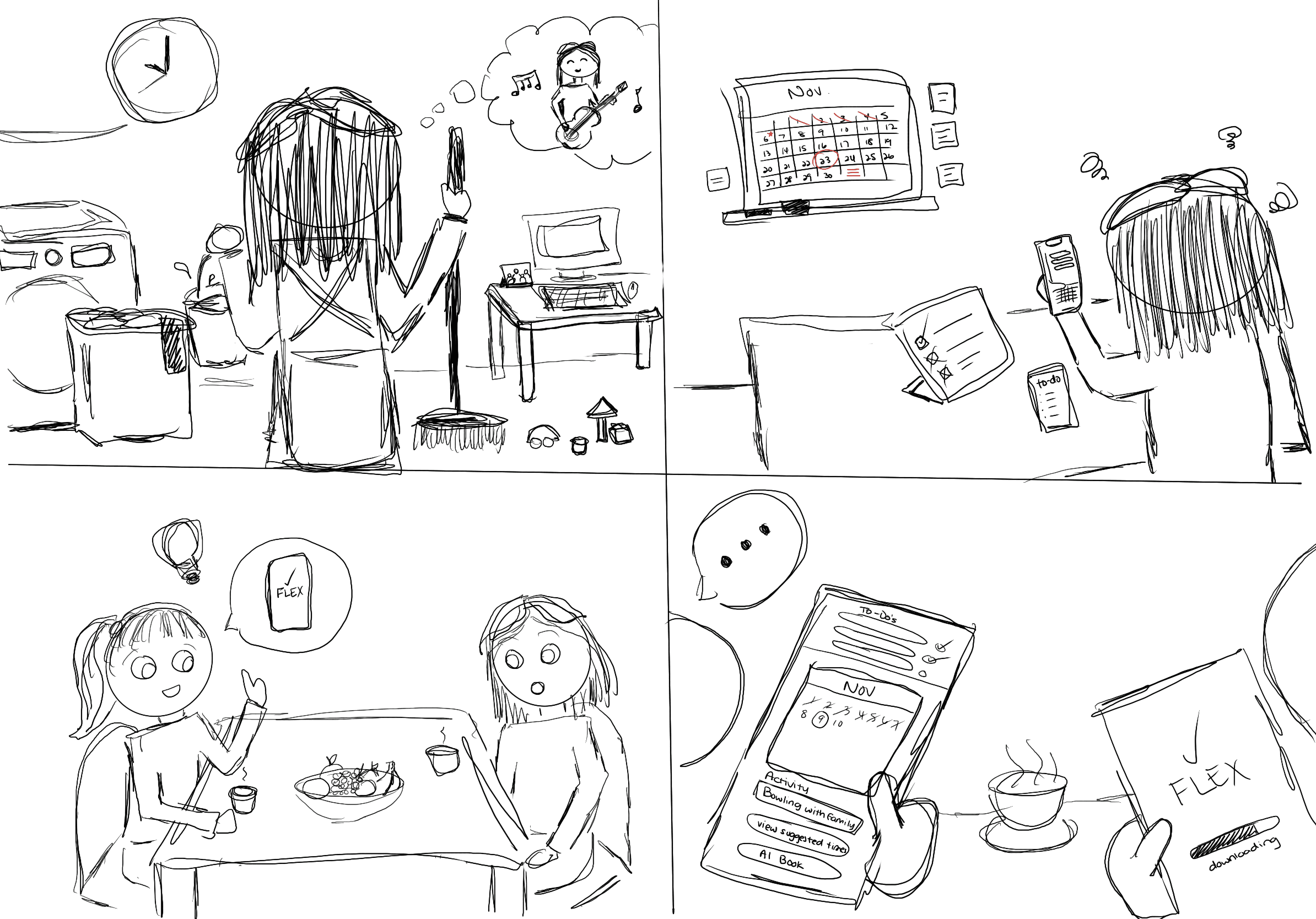
Selena tries many ways to manage her schedule, keep track of her appointments, and stay productive. None were effective in keeping her motivated and organized.
Selena downloads the app Flex and learns how to use it with her friend's guidance.
Selena tries to learn on her own, but it takes a while to navigate the app and use its features.
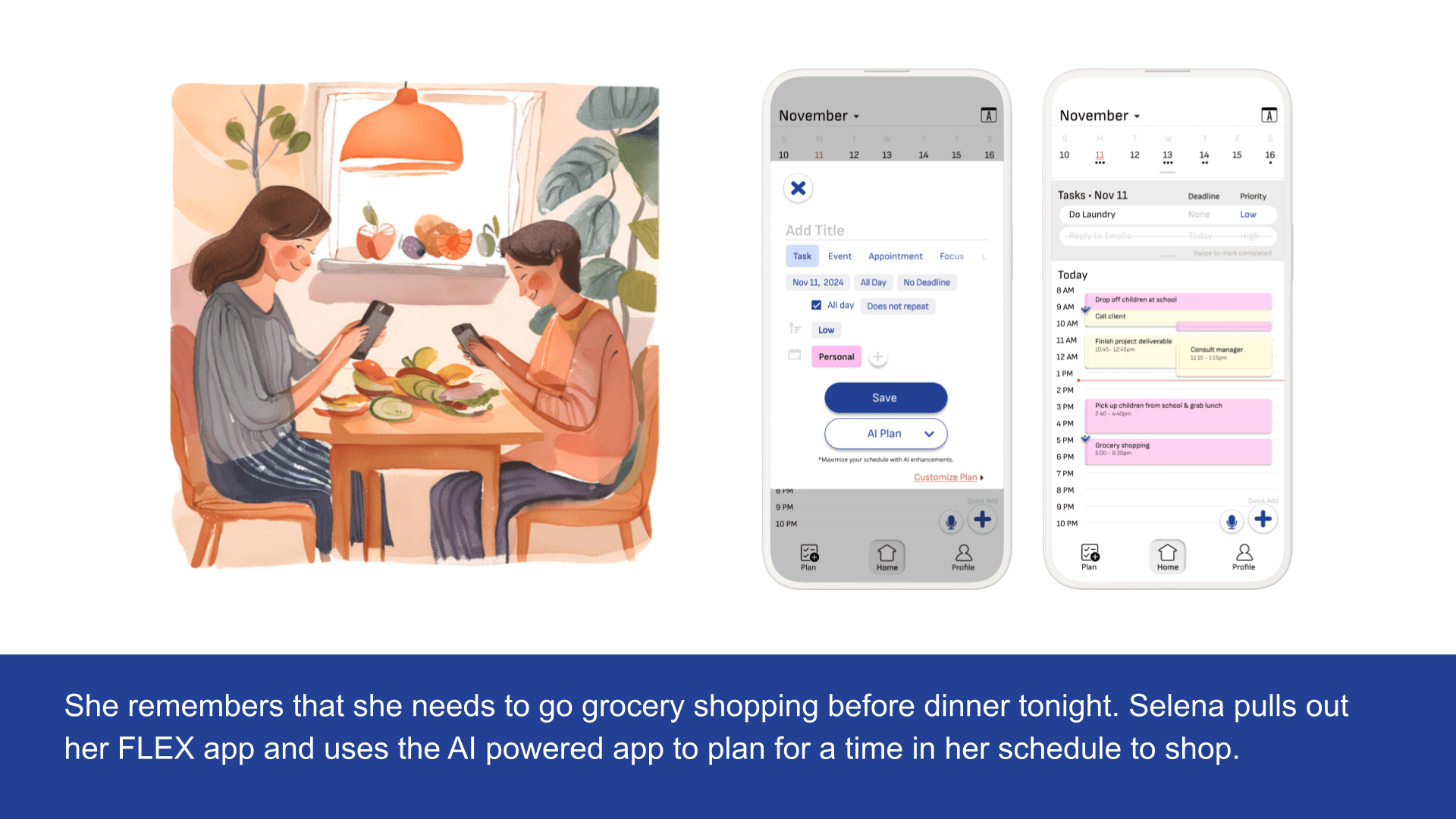
Selena uses the app to make time in her schedule to learn to play the guitar.
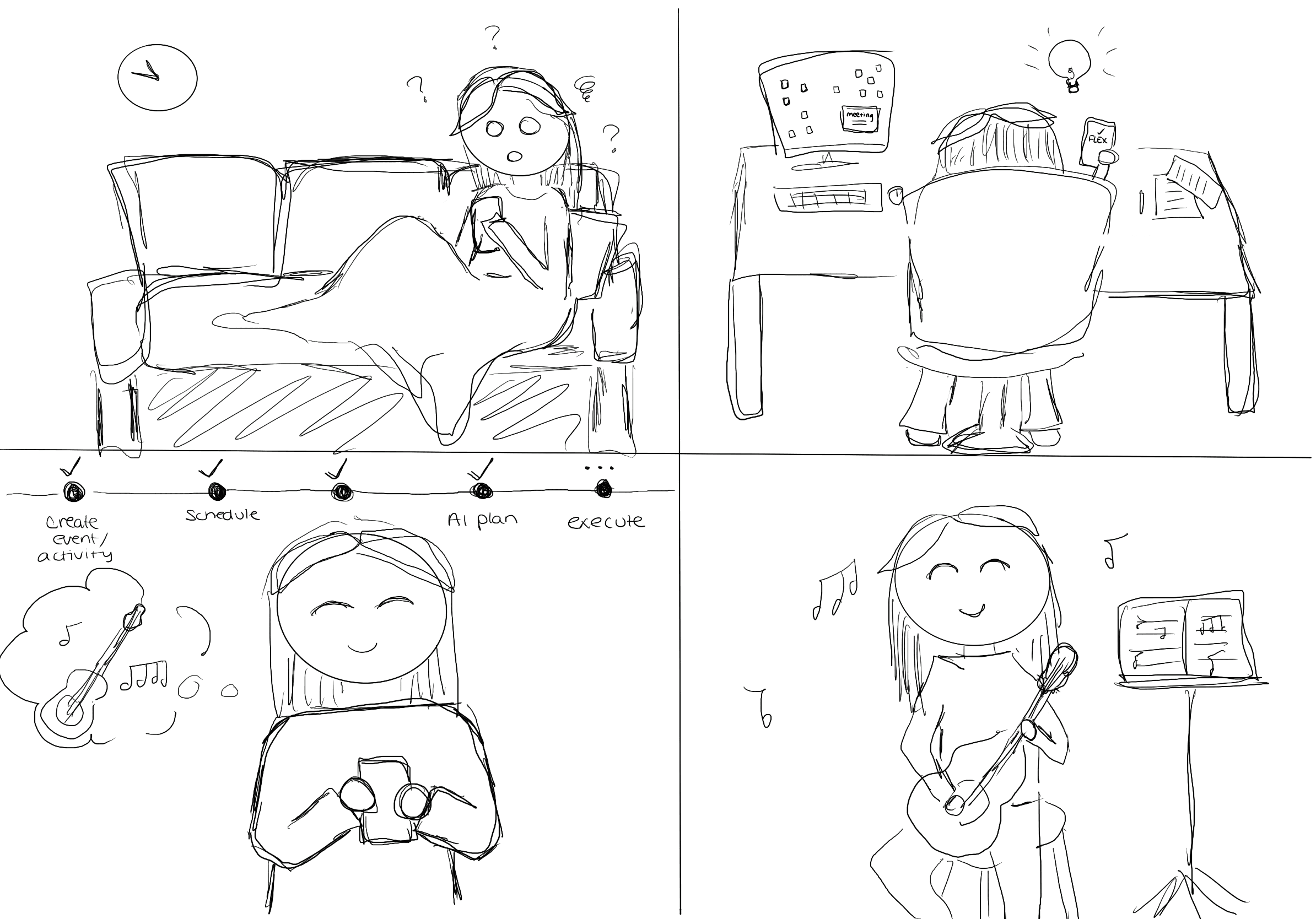
Selena starts getting comfortable in learning to use the app in her day-to-day life as a manager and a mother.
Selena finally has time to play the guitar and is content with how easy and organized the app makes her life.
05
Design
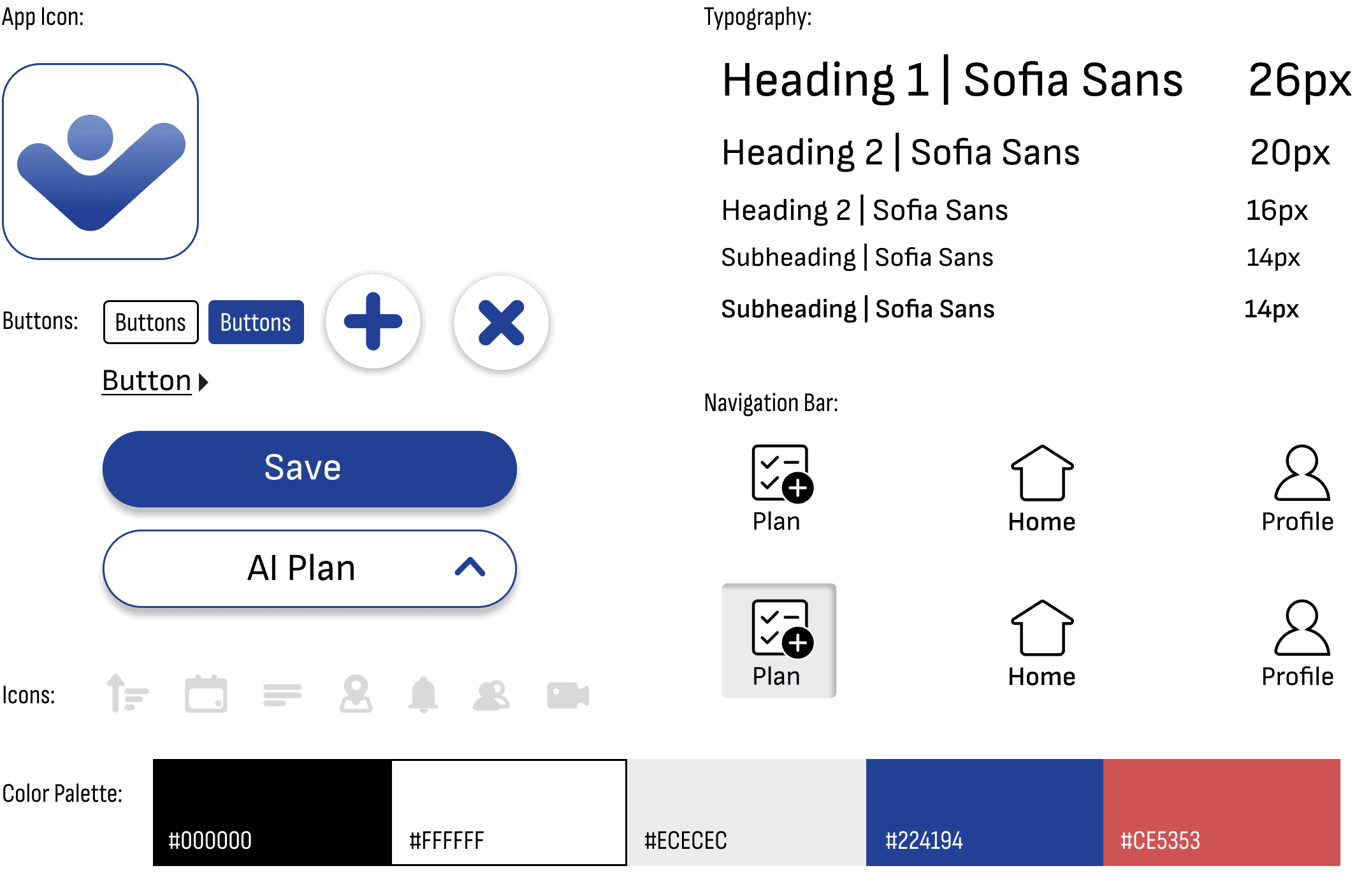
Branding Guidelines & Product Considerations
When designing this app, I kept the preferences and needs of Gen X users at the forefront. This demographic values practicality, clarity, and ease of use, so I aimed to create an experience that felt reliable, approachable, and efficient.
Key considerations included:
A clean and intuitive interface with minimal clutter ensures users can navigate seamlessly without confusion.
Neutral colors with subtle accents, and legible typography, make the app visually appealing and easy to use.
Unnecessary pages or flows were eliminated, reducing complexity and making it easier for users to complete tasks quickly.
Features and functions are automated wherever possible, minimizing manual input and repetitive actions. AI-driven functionalities replace time-consuming processes, streamlining the user experience.
Branding
Vision Statement: "to make lives as easy as possible."
Mission Statement: "to bring every adult a trusted, personal assistant."
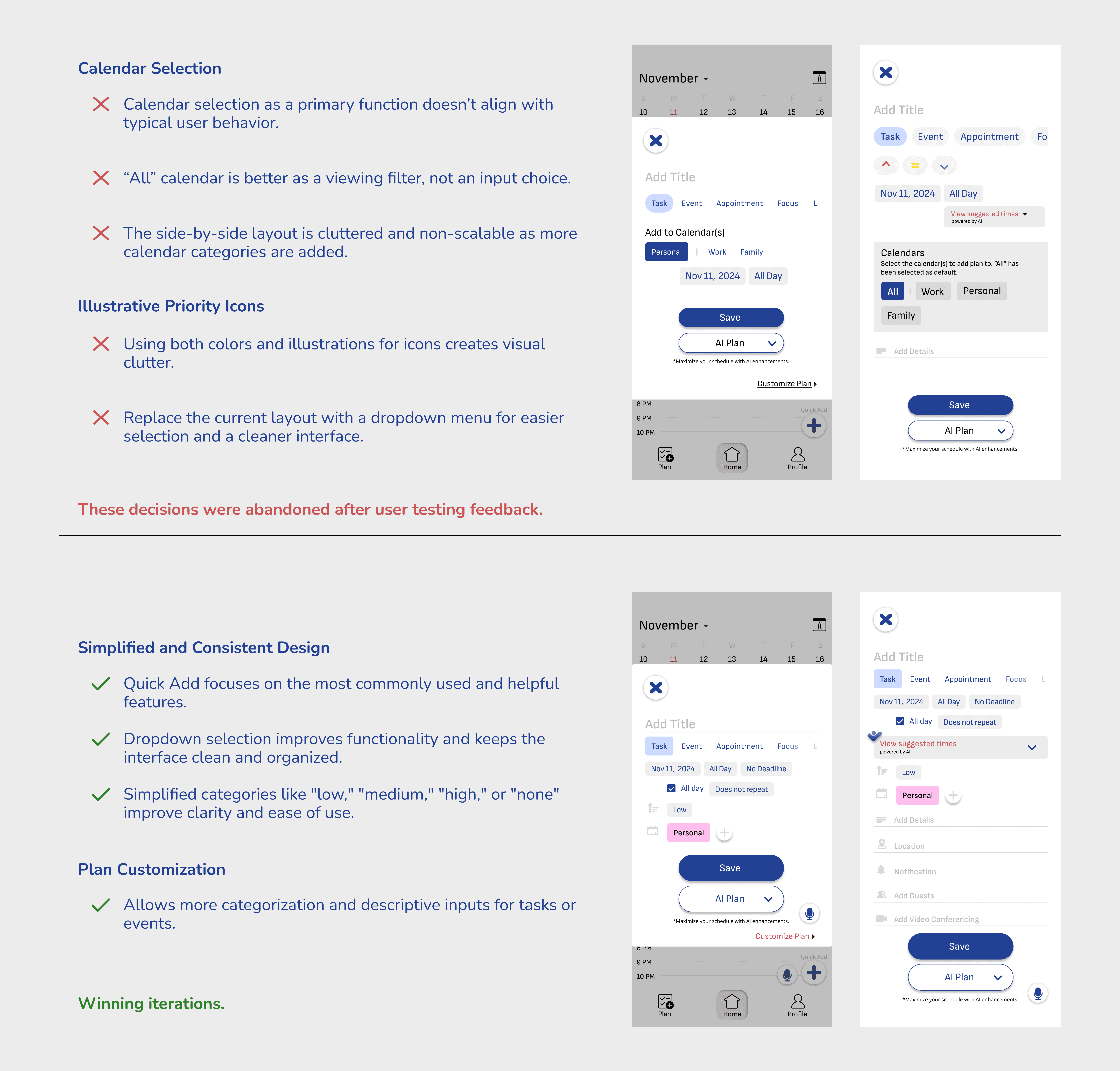
Designing & Iterating
Experience Prototype
06
Conclusion: Learnings & Future Plans
Takeaways
Throughout this project, I gained hands-on experience with the human-centered design process, which was a journey of learning and growth. Starting with user research, I had the opportunity to engage directly with the target demographic and really listen to their needs and frustrations. This made me realize how important empathy is in design—understanding the user’s perspective shaped every decision I made. Creating personas and storyboards helped me step into the users’ shoes and visualize their experience, which brought clarity to how the app should flow. One of the most valuable parts of the process was being able to test the app with people from the target demographic. This user testing gave me real, actionable feedback and was crucial for refining the app through iterations. It showed me exactly where the app worked well and where it needed improvement.
Here are some skills that I gained from this project:
Building personas to represent typical users, ensuring the design aligns with their behaviors, goals, and pain points.
Creating storyboards to visualize the customer experience, which helped identify gaps and refine the overall user journey.
Using tools like UI specs, VD specs, and experience prototypes to communicate ideas.
What's Next?
Over a two-month period, I completed the end-to-end process of designing a product and published the initial version of the Flex case study. After receiving valuable feedback from the target demographic, a professor, and fellow designers, I plan to revisit the project to make it an even more cohesive and refined product.
I’ve already started brainstorming and planning revisions to challenge and improve upon my earlier decisions. Some of these ideas include:
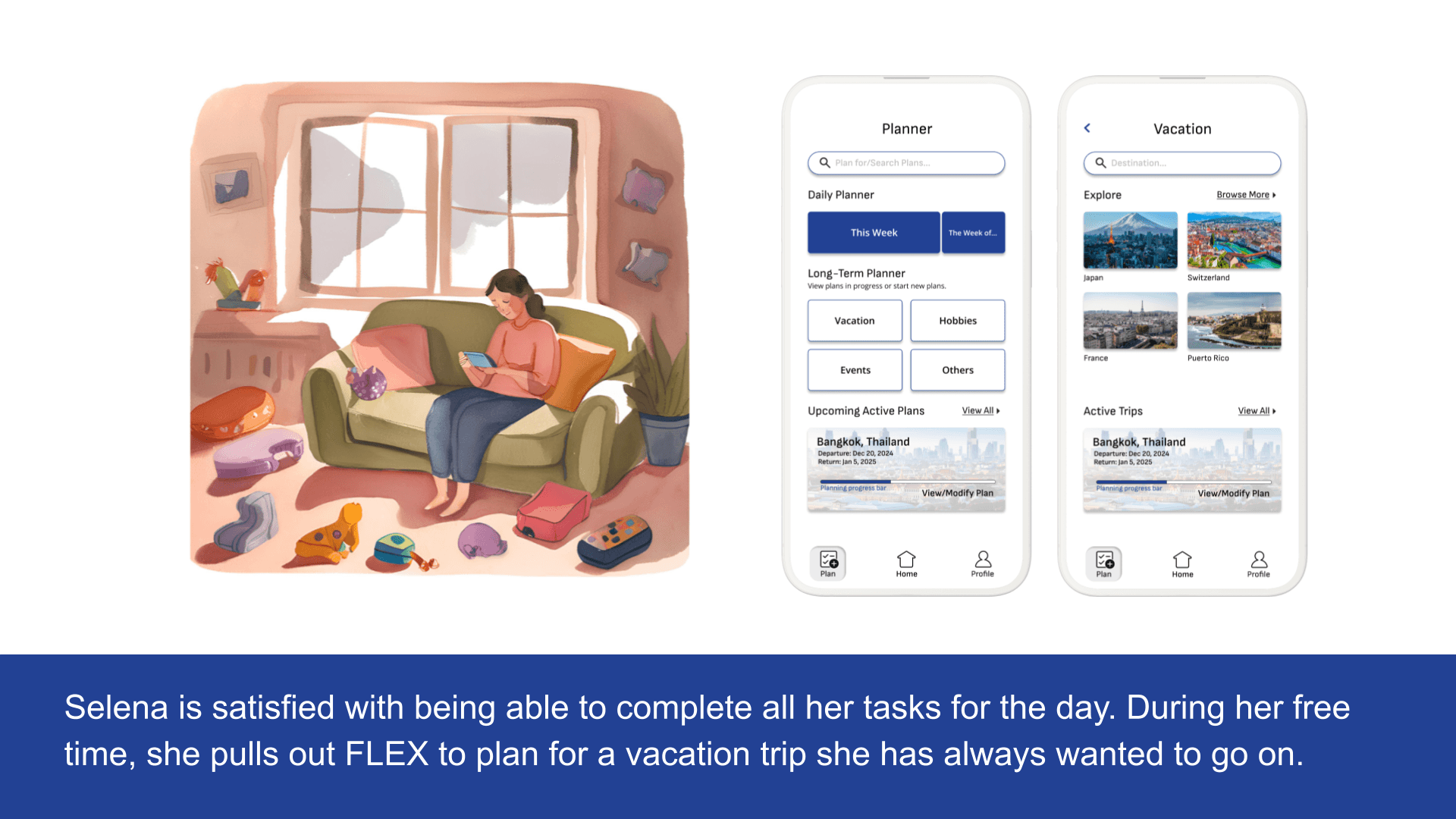
Enhancing interfaces to support shareability through calendar events and long-term travel planning.
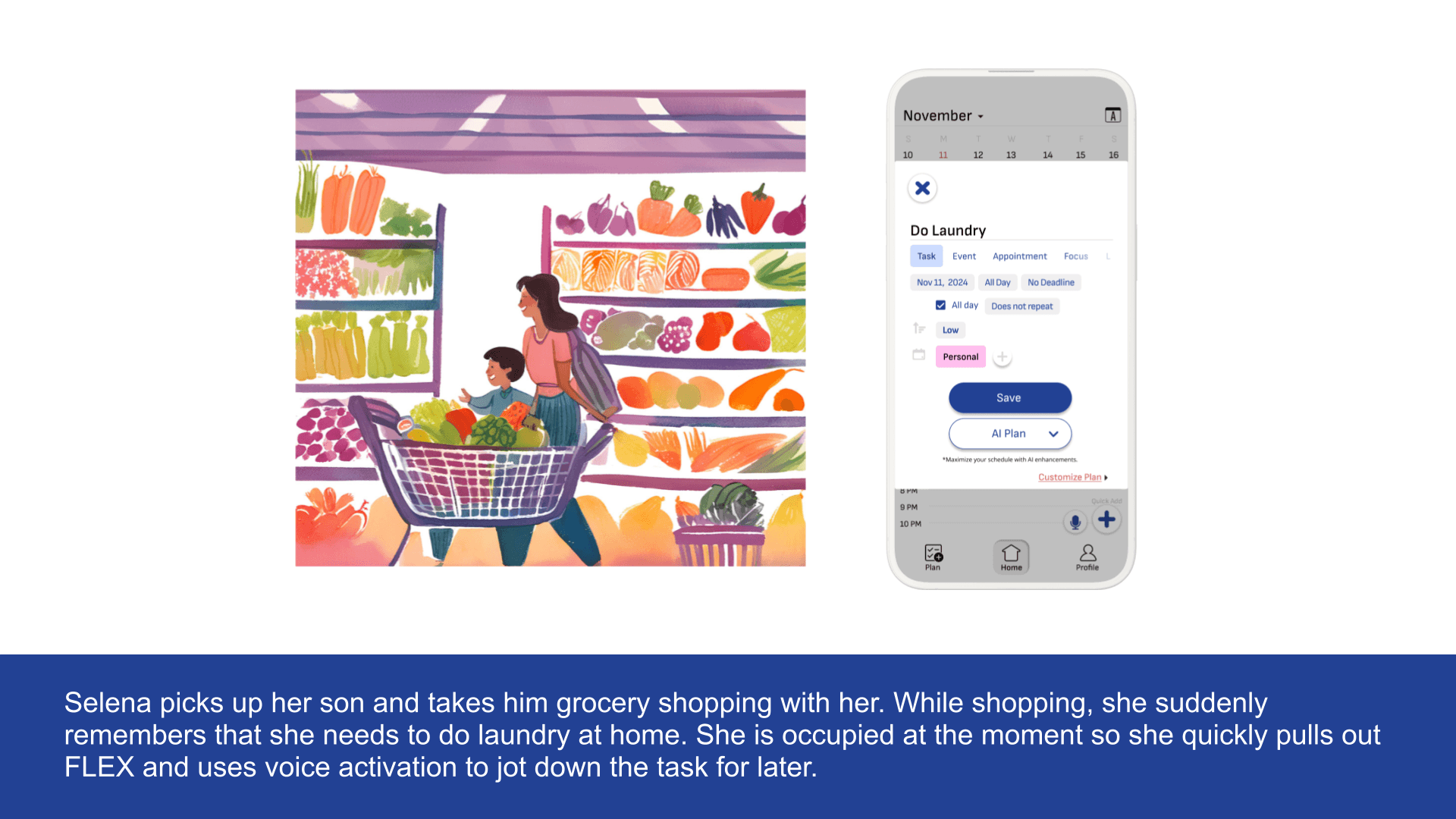
Developing a more detailed flow for voice automation input.
Introducing a weekly planner view for better task management.
Clear instructions and readily available support options incorporated to address any potential challenges.
Designed with 🪄⋆。 °✩ and 🍵 by Iris.